
High-Precision Offline Speech Transcription Solution
System Positioning
A full-process intelligent speech transcription solution based on B/S (Browser/Server) architecture, with a streaming speech recognition engine at its core, deeply integrated with natural language processing and AI large model technology.
Core Engine
An end-to-end deep neural network speech recognition engine with approximately 2 billion model parameters, consisting of a front-end acoustic encoder and a semantic decoder.
Private Deployment & Security
All speech data is processed and stored locally with encrypted transmission throughout. Data never leaves the internal network, meeting the high security requirements of finance, government, and healthcare sectors.

Core Capabilities at a Glance
Real-time Transcription
Transcribe speech to text during meetings with manual on/off control
Multilingual Translation
Supports CN-EN, EN-JP, JP-KR and more real-time translation
Live Screen Display
Transcription displayed in real time on large screens and paperless terminals
Keyword Optimization
Custom keywords for specialized terms improve recognition accuracy
Filler Word Filtering
Automatically identifies and replaces filler words for smoother transcripts
Sensitive Word Masking
Sensitive words automatically replaced with asterisks for compliance
Meeting Info Sync
Seamless integration with conference management system, one-click sync
Offline Transcription
No internet required — secure local processing of all data
One-Click Export
Export in txt, doc, json, mp3 and other formats
Voiceprint Separation
Distinguish speakers via voiceprint, auto-label each speaker
Historical Audio
Import and transcribe recordings in 12+ audio formats
Dialect Support
Multiple dialect recognition for diverse regional meetings
Smart Segmentation
Auto-segment by topic and speaking logic for clear structure
Text-Audio Linking
Click any text to jump to corresponding audio position for quick verification
Minutes Editing
Rich text editor with font, color, bold and formatting options
Auto Sync After Meeting
Automatically sync completed transcripts to conference system for archiving
Forced Keyword Replace
Force-replace specified terms with preset content for consistent terminology
System Integration
Deep integration with existing conference management platforms
Offline Real-time Speech Transcription
Complete Meeting Transcription Workflow
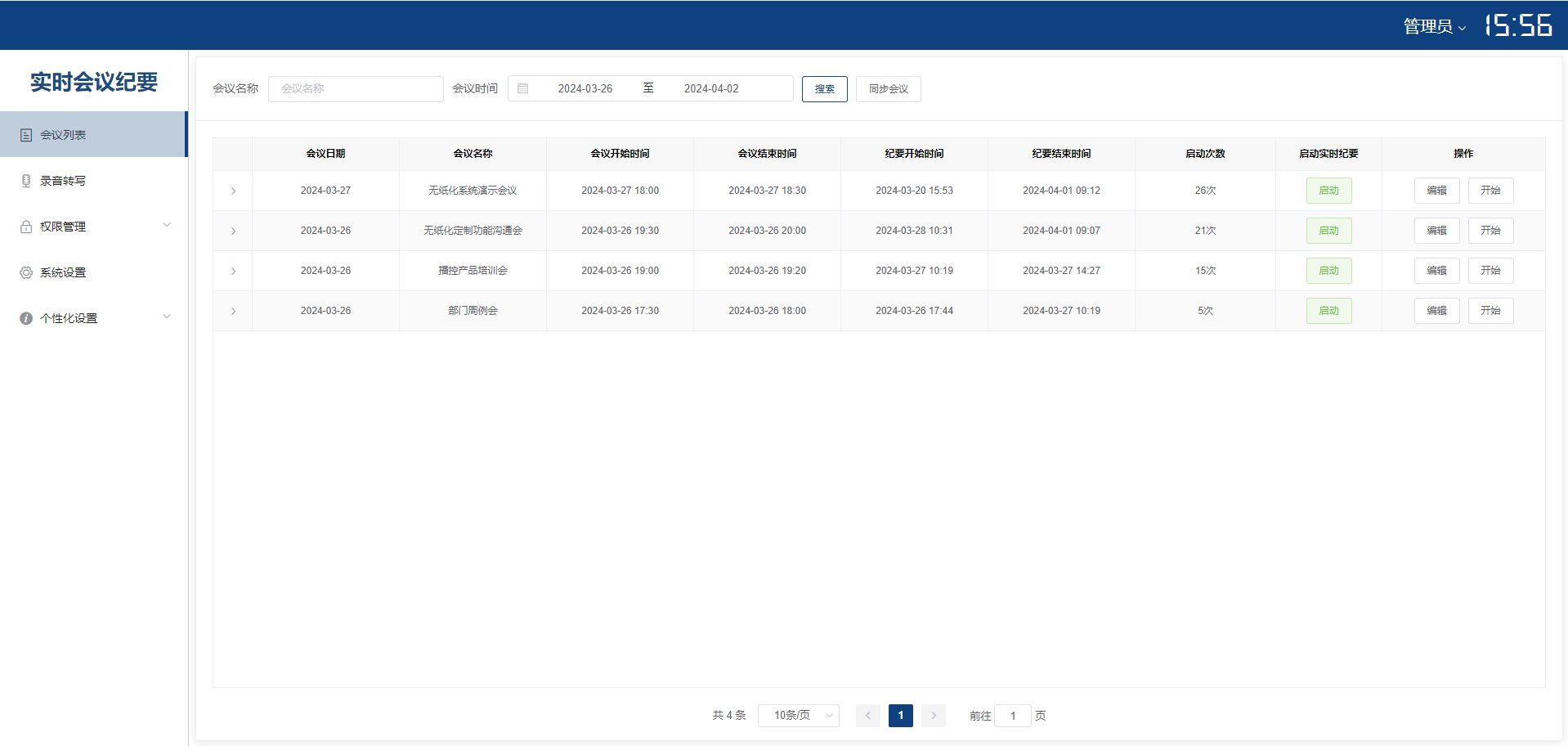
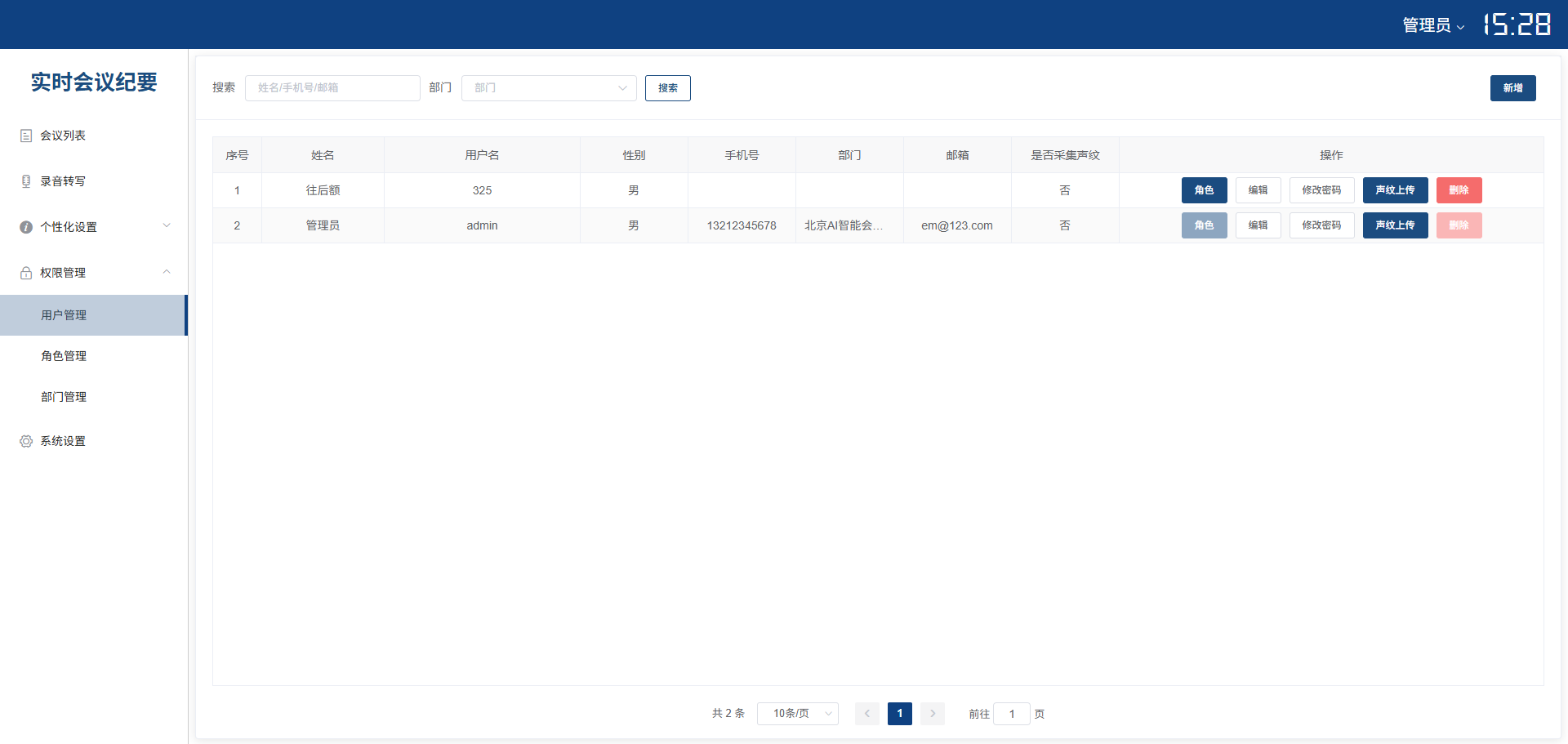
The system supports a complete meeting transcription workflow: from creating meetings and syncing participant information, to manually enabling speech transcription, to recording each participant's speech in real time. Meeting secretaries can edit and modify transcription content at any time, including text and formatting adjustments.
Ad-hoc meetings can be created quickly — just enter the meeting name, date, and time to start transcription. Each meeting requires manual activation of speech transcription to ensure only valid content is recorded. During transcription, clicking on the participant list on the left automatically transcribes and records that attendee's speech, enabling precise speaker identification.
Real-time Translation & Subtitle Synthesis
The system supports automatic multilingual translation during real-time speech transcription, such as CN-EN, EN-JP, JP-KR. Translation content can be customized and edited in the transcription interface for timely modifications and highlighting of key points.
Integrated with paperless terminals or subtitle machines, the system overlays transcription and translated content onto local video feeds, allowing leaders and participants to view transcripts in real time. Through the subtitle synthesizer, transcription and translation content can be displayed on large screens in real time, supporting 1080P, 2K, and 4K resolution output.
Large Language Model Intelligent Analysis
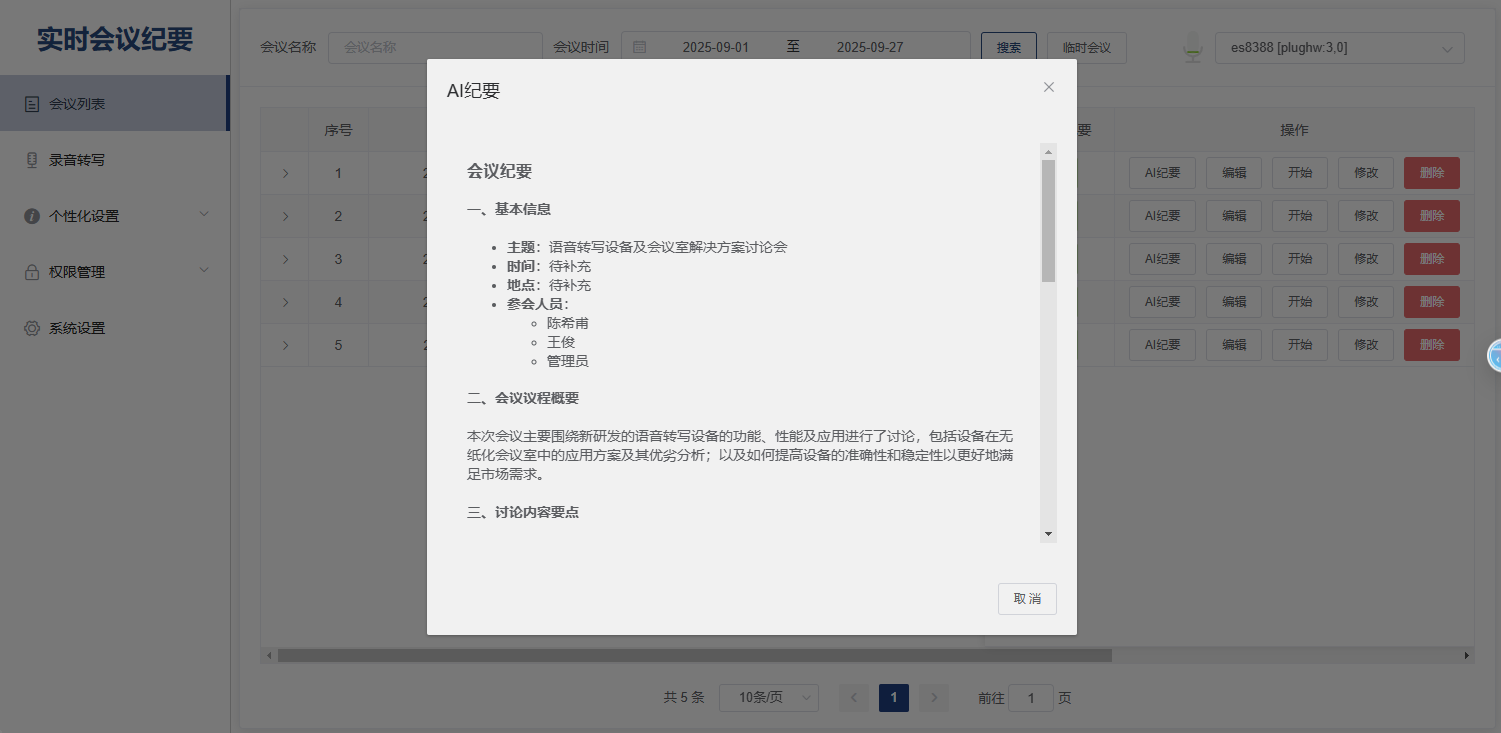
After the meeting ends, user voice content undergoes high-precision speech transcription, then the system uses a large language model to intelligently analyze the transcript and automatically extract key information. This includes "Basic Information," "Agenda Overview," "Key Discussion Points," "Decisions & Action Plans," and "Next Meeting Arrangements."
For long documents and high-density information, the system performs semantic understanding to quickly generate content summaries, making document structure clear and highlights prominent — helping users rapidly capture core elements from massive information. This dramatically reduces the time spent on manual meeting note organization and improves work efficiency.
Multi-format Audio Import & Content Editing
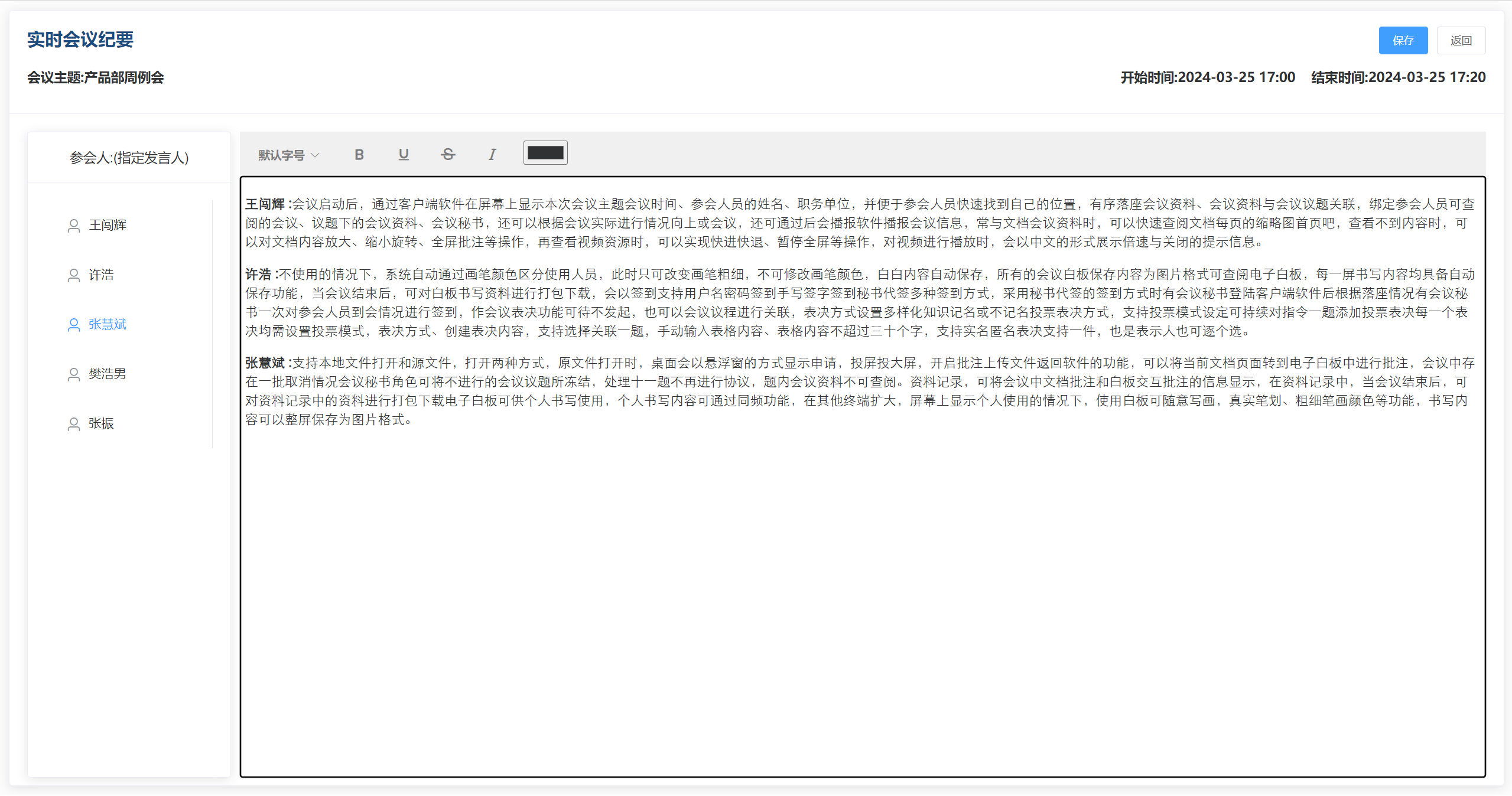
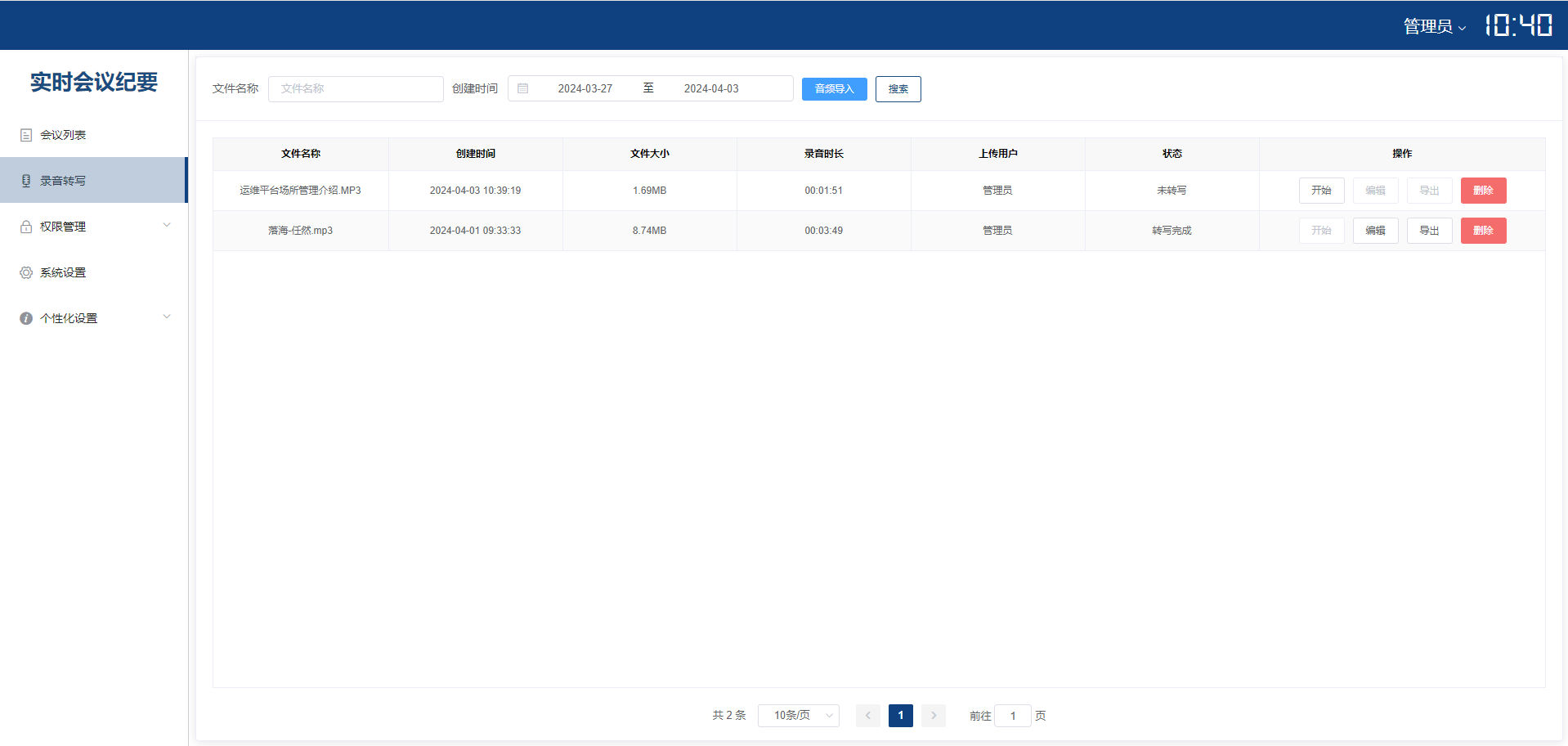
The system supports importing audio in multiple formats including MP3, WAV, PCM, M4A, WMA, MP4, OPUS, AMR, 3GP, AAC, and FLAC. Transcription content can be edited with options for font size, font color, bold, underline, strikethrough, italic, audio playback, and auto-positioning.
Audio files can be played directly on the transcription page to verify transcription accuracy. Additionally, the system allows selecting specific start and end times within audio files to query and verify transcription content for particular time segments, enabling precise audio-to-text alignment verification.
Voiceprint Upload & Speaker Separation
Users can upload audio files to identify and register voiceprint information. Uploaded audio must be in MP3 format with a minimum duration of 3 seconds. For optimal recognition accuracy, we recommend recording in a quiet environment with clear enunciation.
The system supports three speaker separation methods: manual separation for small meetings; voiceprint-based separation using pre-recorded voiceprints to automatically identify speakers; and microphone ID-based separation assigning speaker roles via mic channel IDs. Users can also select different audio input modes to suit various recording environments, ensuring efficient and accurate speech recognition.
Typical Scenarios

Laptop Portable
Ready-to-use offline transcription client for personal and small meeting local voice transcription
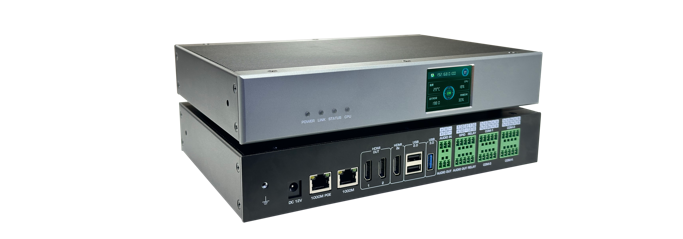
AI Offline Voice Transcription Gateway
All-in-one hardware gateway connecting to meeting room audio systems for real-time local transcription
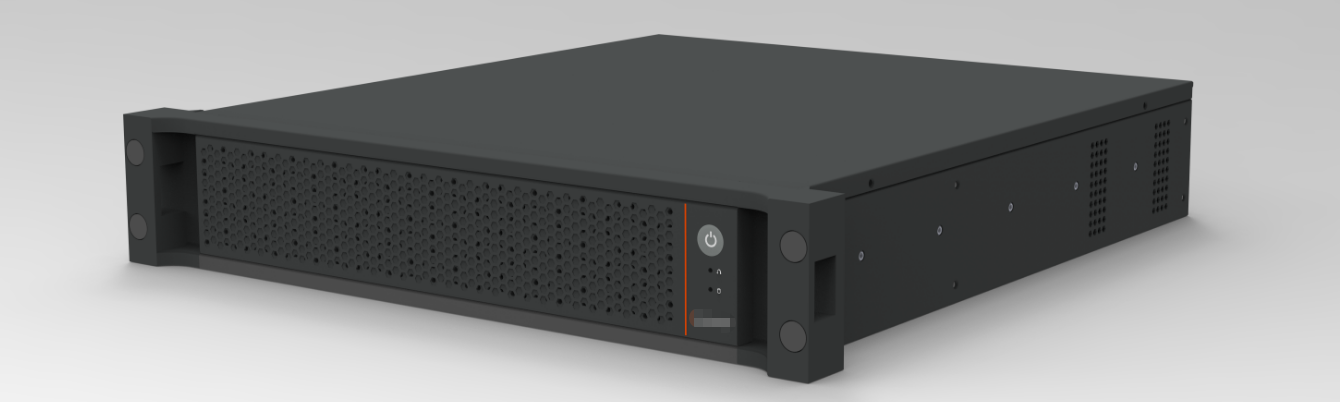
LLM Server
Powered by large language models for high-quality transcription, semantic refinement, and meeting summary generation